
Getting Started With QR Codes
Understand How You Can Start Using Them With Ease.
What is a QR Code?
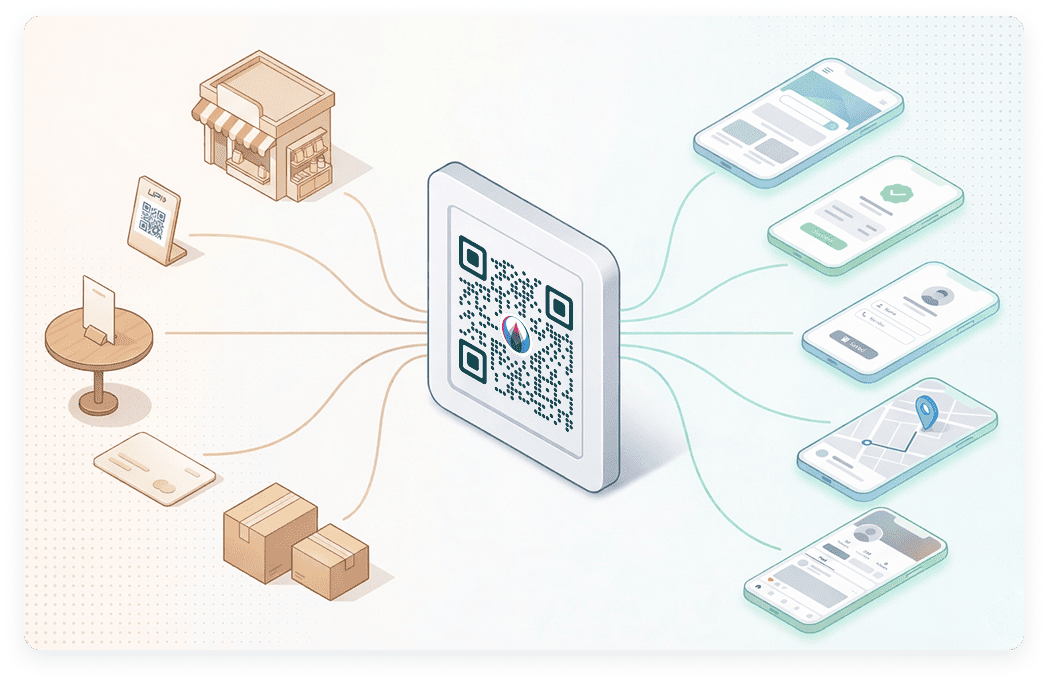
A QR code, short for Quick Response code, is a type of two-dimensional barcode that stores information in a square pattern made of black and white boxes. When someone scans it using a smartphone camera, it instantly opens digital content such as a website, payment page, contact details, location, menu, or document.
Unlike traditional barcodes that store limited data, a QR code can store much more information and can be scanned from any direction. This makes it faster, easier, and more reliable for everyday use.
Today, QR codes are widely used for digital payments, business promotions, product information, event registrations, restaurant menus, and customer engagement. From small local shops to large companies, QR codes help connect offline customers to online information within seconds.
QR codes are especially useful because they remove the need to type long website links, phone numbers, or payment IDs. A simple scan completes the action.
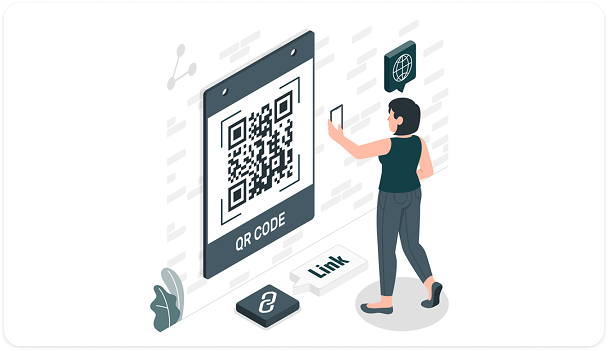
In simple words, a QR code is a bridge between the physical world and the digital world. You scan it, and it takes you exactly where the business wants you to go.
If you want, we can now move to the next section: Types of QR Codes.
Types of QR Codes
QR codes can be created for different purposes depending on what you want to share. Whether it is a website link, payment option, contact details, location, message, or social media profile, each QR code type is designed to perform a specific action when scanned. Choosing the right type helps you guide users directly to the exact information or service you want them to access.
Here are all the QR code types available in Digital QR. Explore each QR type below to find the one that fits your need.
 URL
URL Text
Text Email
Email Phone
Phone SMS
SMS VCard
VCard UPI
UPI WIFI
WIFI Location
 Facebook
 Twitter
 YouTube
 Event
Event MP3
MP3 Videos
 PDF
PDF Apps
Apps Rating
 Image Gallery
 Social Media Channels
How QR Code Works?
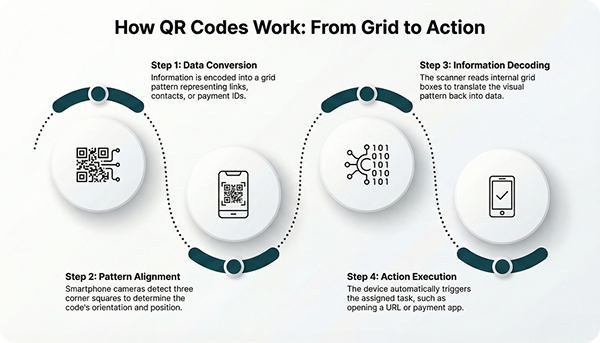
A QR code works by converting information into a pattern of small black and white squares arranged inside a square grid. This pattern stores data such as a website link, payment ID, phone number, text message, or contact details.
When a person scans the QR code using a smartphone camera, the phone automatically detects the three large squares placed at the corners. These squares help the device understand the position and alignment of the code. Once aligned, the scanner reads the smaller boxes inside the grid and decodes the stored information within seconds.
After decoding, the phone performs the assigned action. If the QR code contains a website link, it opens in the browser. If it contains UPI payment details, the payment app opens. If it contains contact information, the user can directly save the number.
QR codes also use error correction technology. This means even if part of the code is slightly damaged, blurred, or printed with minor defects, it can still be scanned successfully.
In simple terms, a QR code turns digital information into a visual pattern, and your phone converts that pattern back into useful information instantly.
Static vs Dynamic QR Codes
QR codes are mainly divided into two types based on how the information is stored and managed: Static QR codes and Dynamic QR codes. Understanding the difference helps you choose the right option for your business or personal use.
Static QR Code
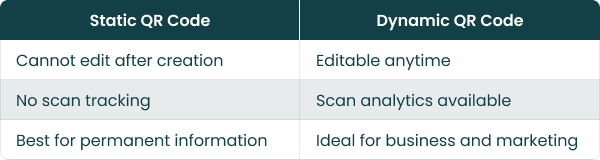
A static QR code stores information directly inside the code itself. Once it is created, the data cannot be changed. If you need to update the link or details, you must create a new QR code.
Static QR codes are suitable for:
- Sharing fixed website links
- Displaying permanent contact details
- Simple text information
- One-time use cases
They are easy to create and do not require tracking or updates.
Dynamic QR Code
A dynamic QR code stores a short URL that redirects to your actual content. This means you can update the destination anytime without changing the QR code image.
For example, you can print one QR code on packaging and later change the website link, offer page, or product details from your dashboard.
Dynamic QR codes are useful for:
- Marketing campaigns
- Payment collection
- Updating menus or offers
- Tracking scan data
- Business promotions
Quick Comparison
How to Scan a QR Code?
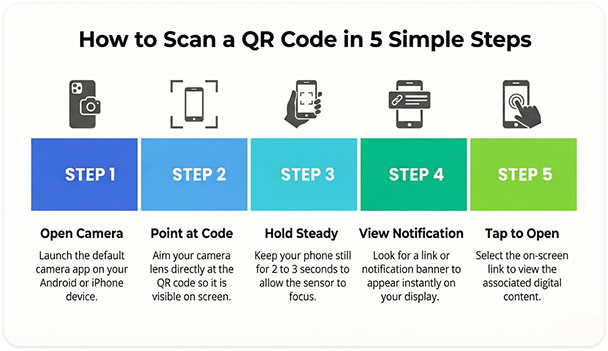
Scanning a QR code is very simple. Most modern smartphones can scan QR codes directly using the default camera app. You do not need any special technical knowledge.
Scan Using Your Phone Camera
- Open your phone’s Camera app.
- Point the camera at the QR code.
- Hold it steady for 2 to 3 seconds.
- A notification or link will appear on the screen.
- Tap the link to open the content.
This works on most Android and iPhone devices.
If Camera Does Not Detect the QR Code or in some older phones:
- Open Google Lens
- Use a QR scanner app
- Use the scan option inside UPI or payment apps
Most UPI apps also have a built-in scan feature for payment QR codes.
Important Things to Remember
- Keep proper lighting
- Hold the phone steady
- Keep the QR code clearly visible
- Do not stand too far or too close
Scanning a QR code usually takes only a few seconds. Once scanned, it automatically opens the related website, payment page, contact details, or message.
QR Code vs Barcode
Both QR codes and barcodes are used to store and scan information, but they are different in design, capacity, and usage.
A barcode is the traditional code you see on product packaging in supermarkets. It consists of vertical black lines and usually stores a limited amount of numeric information. It is mainly used for billing and inventory tracking.
A QR code, on the other hand, is a two-dimensional square pattern made of small black and white boxes. It can store much more data, including website links, contact details, payment information, text, and more.
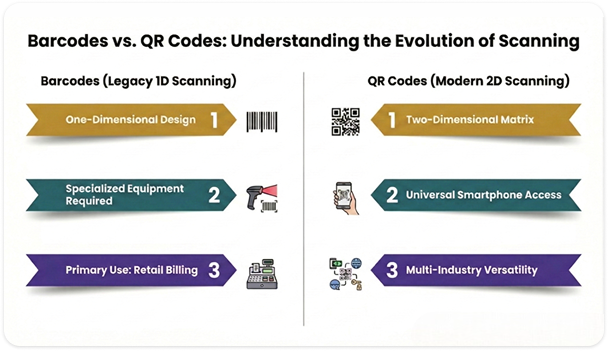
Another important difference is speed and convenience. A barcode scanner must be aligned properly with the lines, while a QR code can be scanned from any angle.
In simple terms, barcodes are mainly for product identification, while QR codes connect people directly to digital information and services.
Are QR Codes Secure?
Yes, QR codes are generally secure. A QR code itself is only a method of storing and sharing information. It does not contain viruses or harmful software on its own. It simply directs users to the content that has been programmed inside it.
Security depends on where the QR code leads. If it connects to a trusted website, official payment page, or verified business profile, it is safe to use. Risk arises only when a QR code redirects to a fake or suspicious website.
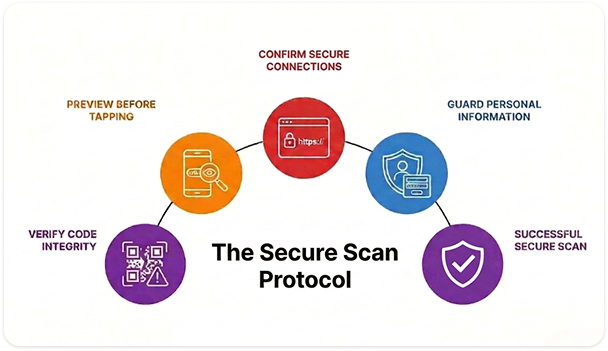
How to Stay Safe While Scanning
- Check the preview link before tapping
- Look for “https” and a lock symbol
- Avoid scanning unknown or damaged QR codes
- Do not enter personal details on suspicious websites
Most modern smartphones show the destination link before opening it. This allows users to verify the source and proceed confidently.
How Digital QR Works?
Digital QR makes QR code creation simple, fast, and fully online. You do not need software installation for it. Everything works directly in your browser.
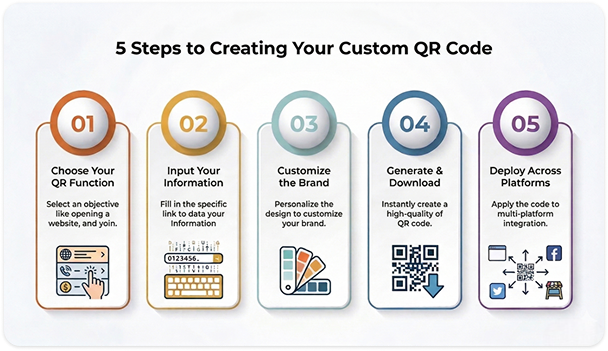
Here is how the process works:
1. Choose Your QR Code Type
Select what you want your QR code to do. It can open a website, collect payments, share contact details, show a location, display text, or connect to social media.
2. Enter Your Information
Fill in the required details such as your link, UPI ID, phone number, message, or business information.
3. Customize Your QR Code
Personalise the design by adjusting colours, adding your logo, selecting frame styles, and matching it with your brand identity.
4. Generate and Download
Click generate, and your QR code is created instantly. Download it in high quality and start using it on shop boards, packaging, visiting cards, banners, menus, or digital platforms.
If you create a dynamic QR code, you can edit the destination later and track scan performance from your dashboard.
Digital QR is built for small businesses, local shops, professionals, and growing brands who want reliable QR solutions without complexity.
Start For Free With Digital QR
Create high-quality QR codes in seconds with unlimited static scans forever.
Why Choose Digital QR
Choosing the right QR code platform matters. Your QR codes represent your business, brand, and customer experience. Digital QR is designed to give you speed, reliability, flexibility, and full control without technical complexity.
Easy to Use
The platform is built for everyone. Whether you are a shop owner, freelancer, student, or business professional, you can create a QR code in just a few simple steps.
Instant QR Code Generation
Create and download high-quality QR codes within seconds. No waiting, no complicated process.
Custom Design Options
Make your QR codes match your brand. Change colours, add your logo, and choose styles that look professional on print and digital platforms.
Static and Dynamic Options
Choose static QR codes for fixed information or dynamic QR codes for editable links and performance tracking.
Dashboard Management
Manage your QR codes from one place. Update links, monitor scans, and keep everything organised.
Secure and Reliable
Your QR codes work smoothly across devices. The platform ensures stable redirection and secure performance.
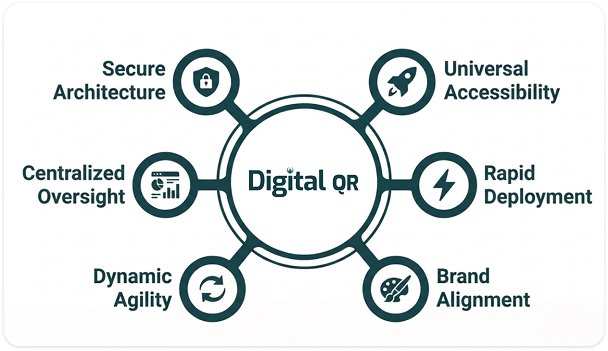
Digital QR is built for businesses that want simple tools with professional results. Whether you are running a local shop or scaling a brand, it gives you full control over your QR experience.